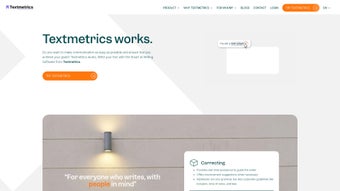

Download Textmetrics – AI‑Powered Writing Assistant for Clear, Inclusive Content
Overview
Textmetrics is an AI‑driven writing assistant that helps you craft content that is not only grammatically correct but also highly readable and inclusive. Whether you are a marketer, journalist, academic, or casual blogger, Textmetrics evaluates your text against a suite of linguistic criteria and offers real‑time suggestions to boost clarity, tone, and accessibility. The platform leverages advanced natural‑language processing (NLP) algorithms and a robust set of style guidelines to ensure that your message resonates with a diverse audience.
By analyzing sentence length, passive voice, jargon density, and even cultural bias, Textmetrics guides you toward a more transparent communication style. In addition to optimization, the tool can generate fresh content snippets based on brief prompts, making it a versatile companion for brainstorming sessions or quick copy‑writing tasks. Built with privacy‑first principles, Textmetrics uses cookies only to improve user experience, such as remembering your preferred language settings and storing temporary session data.
The result is a seamless, secure environment where you can focus on writing without worrying about technical hiccups. Ideal for both professional and personal projects, Textmetrics empowers users to produce high‑caliber, easily understandable content that meets the needs of readers across age groups, education levels, and cultural backgrounds.
Key Features
- Real‑time readability scoring: Instantly see how easy your text is to read on a scale from basic to expert.
- Inclusivity checker: Detects gendered language, cultural bias, and complex terminology that might alienate certain readers.
- AI‑powered content generation: Generate paragraphs, headlines, or meta descriptions from short prompts.
- SEO optimization hints: Suggests keyword placement, meta tags, and length recommendations to improve search visibility.
- Style guide integration: Aligns your writing with corporate or industry‑specific style manuals.
- Multilingual support: Works with English, Spanish, German, French, and several other languages.
- Export options: Download edited content in DOCX, PDF, or plain text formats.
- Collaboration mode: Share documents with teammates and track changes in real time.
- Secure cloud storage: All drafts are saved encrypted on Textmetrics servers, complying with GDPR standards.
- Customizable feedback thresholds: Set your own limits for passive voice, sentence length, and readability.
Installation, Usage & Compatibility
Getting started with Textmetrics is straightforward. The service is primarily web‑based, so there is no heavy software download required. Simply visit textmetrics.com, click the “Sign Up” button, and create a free account using your email or a Google OAuth token. After confirming your email, you’ll land on the dashboard where you can either paste existing text or start a new document from scratch. For users who prefer desktop integration, Textmetrics offers a lightweight Chrome and Edge extension that adds a toolbar to any online text field—perfect for editing blog posts directly in WordPress or social media updates in Facebook’s publishing tools.
Mobile users are not left out. Textmetrics releases native apps for both Android and iOS, available on Google Play and the Apple App Store. The mobile apps mirror the web interface, delivering the same AI suggestions and readability scores, while also supporting offline drafting (the AI engine runs locally after the initial download). After you finish a piece, simply click “Export” to save the file to your device or sync it with cloud services like Dropbox or OneDrive.
Operating System Compatibility (itemprop="operatingSystem"): The web platform works on any modern browser (Chrome, Firefox, Safari, Edge) across Windows 10/11, macOS Monterey and later, and Linux distributions. The desktop extensions are compatible with Windows 10+, macOS 11+, and most Linux browsers that support extensions. Mobile apps support Android 8.0+ and iOS 13+. Because Textmetrics processes data in the cloud, you don’t need high‑end hardware; a stable internet connection is the only prerequisite.
To make the most of Textmetrics, follow these usage tips: start by selecting a readability level that matches your target audience; enable the inclusivity checker for sensitive topics; use the AI generator for headline brainstorming; and regularly review the SEO hints if you aim for higher search rankings. The platform also provides a “History” tab where you can compare previous drafts and see how your writing has improved over time.
Pros, Cons & Frequently Asked Questions
Pros
- Intuitive real‑time feedback that improves both grammar and inclusivity.
- AI content generation saves time during brainstorming phases.
- Cross‑platform support (web, desktop extensions, Android, iOS).
- Secure, GDPR‑compliant cloud storage with encrypted drafts.
- Free tier available with generous word limits; premium plans add advanced analytics.
Cons
- Advanced SEO suggestions are limited to premium subscribers.
- AI generation may produce generic phrasing if prompts are too vague.
- Requires an internet connection for most features; offline mode is limited.
- Some users report a learning curve when customizing feedback thresholds.
- Multilingual accuracy varies; best results are currently in English.
FAQ (itemtype="https://schema.org/FAQPage")
Is Textmetrics free to use?
Yes, Textmetrics offers a free tier that includes up to 5,000 words per month, basic readability scoring, and inclusivity checks. Premium plans start at $15 per month and unlock unlimited AI generation, advanced SEO insights, and team collaboration features.
Can I use Textmetrics offline?
The mobile apps allow limited offline drafting, but AI‑driven suggestions and readability scores require an internet connection. Once you reconnect, the platform syncs your changes and updates the analysis.
How does Textmetrics handle data privacy?
All user data is encrypted both in transit (TLS) and at rest. Textmetrics complies with GDPR, CCPA, and other major privacy frameworks. Cookies are used solely for session management and preference storage; no personal data is sold to third parties.
Does Textmetrics integrate with popular CMS platforms?
Yes, the browser extension works directly inside WordPress, Joomla, and Drupal editors. You can also connect Textmetrics via API to custom CMS solutions, enabling automatic readability checks on published articles.
What languages does Textmetrics support?
Currently, Textmetrics provides full feature support for English, Spanish, German, French, and Dutch. Additional languages are in beta, with accuracy improving as the AI models are trained on larger datasets.
Conclusion & Call to Action
In a digital landscape where clear, inclusive communication can make or break a brand, Textmetrics stands out as a reliable, AI‑enhanced partner. Its blend of real‑time readability scores, bias detection, and content generation equips writers with the tools needed to produce polished, audience‑friendly material without sacrificing speed. While the free plan offers substantial functionality, the premium tier adds depth for SEO‑focused marketers and larger teams seeking collaborative workflows. If you’re ready to elevate the quality of your writing, reduce editorial cycles, and ensure your message resonates across diverse readerships, download Textmetrics today and experience a smarter way to write.



.png)



